Free Printable Yearly Calendar Generator – Create Any Year in Seconds
If you’re searching for a clean, minimal printable yearly calendar that you can download and print in a few clicks – you’re in the right place.
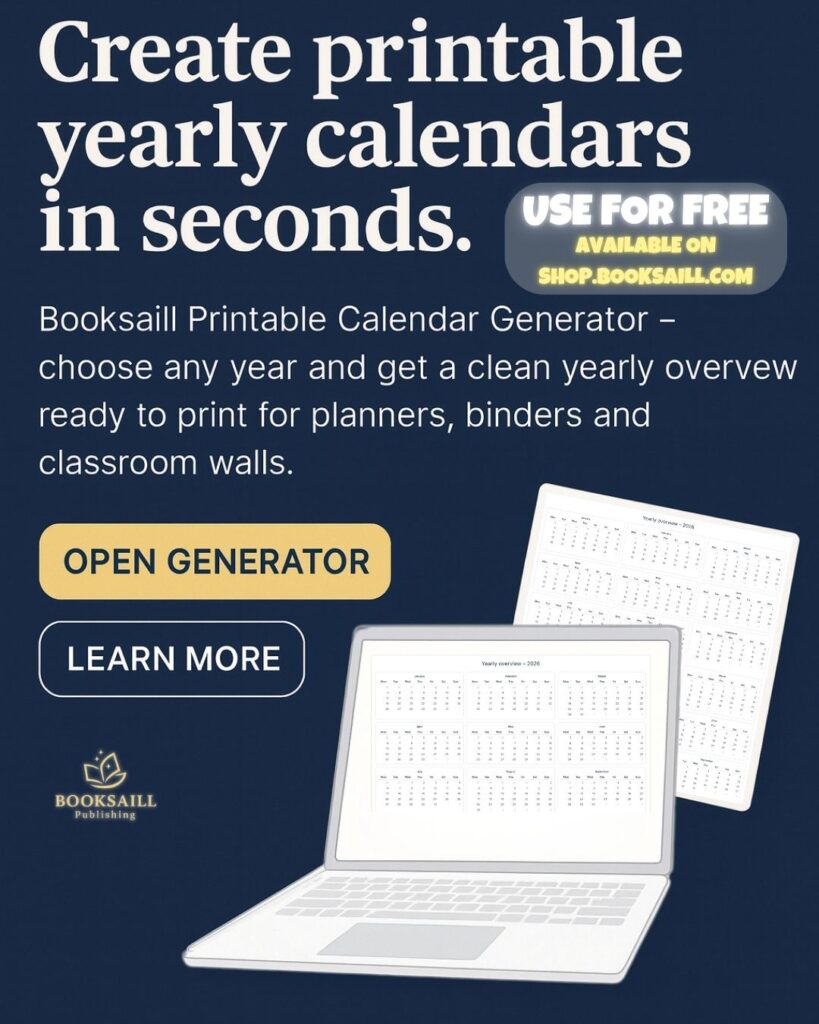
Instead of scrolling through dozens of random PDFs, you can simply open the Booksaill Printable Calendar Generator, choose your year, and instantly get a year-at-a-glance calendar ready for your planner, binder or classroom wall.
In this article, you’ll discover:
why a yearly overview calendar is so useful,
how to generate your own printable calendar in a few seconds,
smart ways to use it as a teacher, parent, student or small business owner,
printing tips and a short FAQ.
👉 Ready to try it now?
Click “Open Generator” below and create your first printable yearly calendar.
Why a Printable Yearly Calendar Is So Helpful
A year-at-a-glance calendar looks simple, but it can completely change the way you plan your time. Instead of flipping through monthly pages, you see the whole year on one sheet.
Here’s why so many people love yearly overview calendars:
Big-picture planning – see holidays, school breaks, trips, projects and deadlines in one place.
Perfect for goal setting – map out habits, content plans, launches, exams or reading goals across the whole year.
Quick reference – no need to open an app; one look at the wall or planner and you know what’s coming.
Clutter-free design – a minimal layout gives you space to highlight only the most important dates.
Easy to reprint – if anything changes, just print a fresh copy and start again.
Whether you’re a teacher, parent, student or planner lover, a yearly overview calendar is a simple tool that keeps your brain calm and your schedule clear.
How to Generate Your Printable Yearly Calendar (Step by Step)
Our Printable Planner section includes a simple tool that runs directly in your browser – no extra software needed.
Follow these steps to create your calendar:
1. Select your year
At the top of the generator you’ll see a dropdown labelled “Select year”.
Choose the year you need – for example 2025, 2026 or any future (or past) year.
This is perfect if you:
like planning ahead more than one year,
need different calendars for school years or business years,
want to print matching calendars for several years and keep them in a binder.
2. Pick the template type
Next, choose “Year overview (12 months)” in the Template type dropdown.
This option gives you a clean 12-month yearly overview on a single page – ideal for:
planners and notebooks,
bullet journals,
binders and home organizers,
classroom or office walls.
(If we add more layouts in the future, you’ll be able to select them from this same menu.)
3. Decide when the week starts
Some people prefer calendars that start on Monday, others can’t live without Sunday-start.
Use the toggle “Week starts on Monday” to switch between both styles.
The preview updates instantly so you can choose what feels natural to you.
4. Click “Print”
Once you’re happy with the preview, press the “Print” button.
Your browser will open the standard print dialog where you can:
choose your paper size (for example A4, Letter or A3),
set portrait or landscape orientation,
decide whether to print in color or black & white,
save the file as PDF for later.
That’s it – in just a few seconds you have your own printable yearly calendar ready to use.
Features of the Booksaill Printable Calendar Generator
Our goal was to create a tool that is fast, minimal and practical. Here’s what makes it different from random PDFs you find online.
Works for any year
You are not limited to a single year like “2025 printable calendar”.
You can select any year – past, present or future – and generate a matching yearly overview.
This is ideal if you:
need calendars for different school years,
plan long projects or content calendars,
want a neat archive of previous years.
Clean, minimalist design
The layout is intentionally simple:
clear month and weekday labels,
enough white space to add your own notes or color-coding,
neutral typography that matches most planner styles.
Because of this, the calendar looks great:
inside minimal planners,
in professional office spaces,
on classroom walls next to other teaching materials.
Printer-friendly
The calendar is designed to print well on home and office printers.
You can:
print on standard white paper,
use thicker cardstock for wall calendars,
or print on colored paper and add your own highlighter code.
The layout stays sharp even when scaled up to larger sizes.
Perfect for planners, binders and classrooms
Many users like to:
add the yearly overview to the front of their planner,
keep several years in a household binder,
print classroom copies for students and parents,
hang one near the family command center (fridge, corkboard, hallway).
Because the generator sits in your browser, you can quickly reprint a clean copy whenever you need it.
Ideas for Using Your Printable Yearly Calendar
Not sure how to make the most of your new calendar? Here are some inspiration ideas.
For teachers
Mark school holidays, exams and project deadlines.
Highlight field trips, parent meetings and class events.
Use different colors for homework, tests and fun days.
Print an extra copy for the staff room or classroom wall.
For parents & families
Plan family trips, birthdays and celebrations.
Track school breaks, after-school activities and sports.
Use stickers for doctor visits, playdates and important reminders.
Hang it in the kitchen so everyone can see the plan for the year.
For students
Map out exam sessions and assignment deadlines.
Plan study blocks and revision periods.
Track habits like reading, exercise or language learning.
Keep the calendar at the front of your study binder.
For small business owners & creators
Organize product launches, sales and seasonal offers.
Plan content calendars for social media, blog posts or newsletters.
Highlight free shipping days, markets or pop-up events.
Coordinate vacations and days off for your team.
Printing Tips for the Best Result
To get a clean and professional-looking printable yearly planner, keep these tips in mind:
Choose the right size – A4 or Letter.
Check scale settings – in the print dialog, set scaling to “Fit to page” if any parts are cut off.
Use thicker paper – 100–160 g/m² feels nicer and doesn’t curl as easily.
Try color-coding – use highlighters or colored pens to mark different categories (work, family, school, self-care).
Consider lamination – laminate the calendar and use dry-erase markers if you like to update plans often.
Try the Booksaill Printable Calendar Generator Today
A good yearly overview doesn’t need to be complicated.
With the Booksaill Printable Calendar Generator, you can create a beautiful, minimal printable yearly calendar for any year in just a few clicks.
Use it to:
organize your family life,
plan lessons as a teacher,
map out your business year,
or simply keep a calm overview of everything that matters.
👉 Scroll back to the top of this page and click “Open Generator” to create your free yearly calendar now.